How do I segregate a hotel room rate above policy thresholds?
How do I segregate a hotel room rate above policy thresholds?
What is it?
If you have incurred a hotel expense where the per night room rate for any part of your stay exceeds the policy threhsolds, you must segregate the amount about the mightly rate when itemizing your hotel expense in Concur.
Lodging thresholds rates are $350 per night (pre-tax) for domestic and $400 per night (pre-tax) for international. Refer to the Travel Expense Policy for additional information. For details on how to itemize hotel/lodging, refer to the Itemizing Hotel/Lodging in a Travel Expense Report in Concur job aid.
Who’s it for?
Travelers who submit Travel Expense Reports that include hotel stays.
How do I do it?
Segregating a Room Rate (Same daily amount) above Policy Threshold
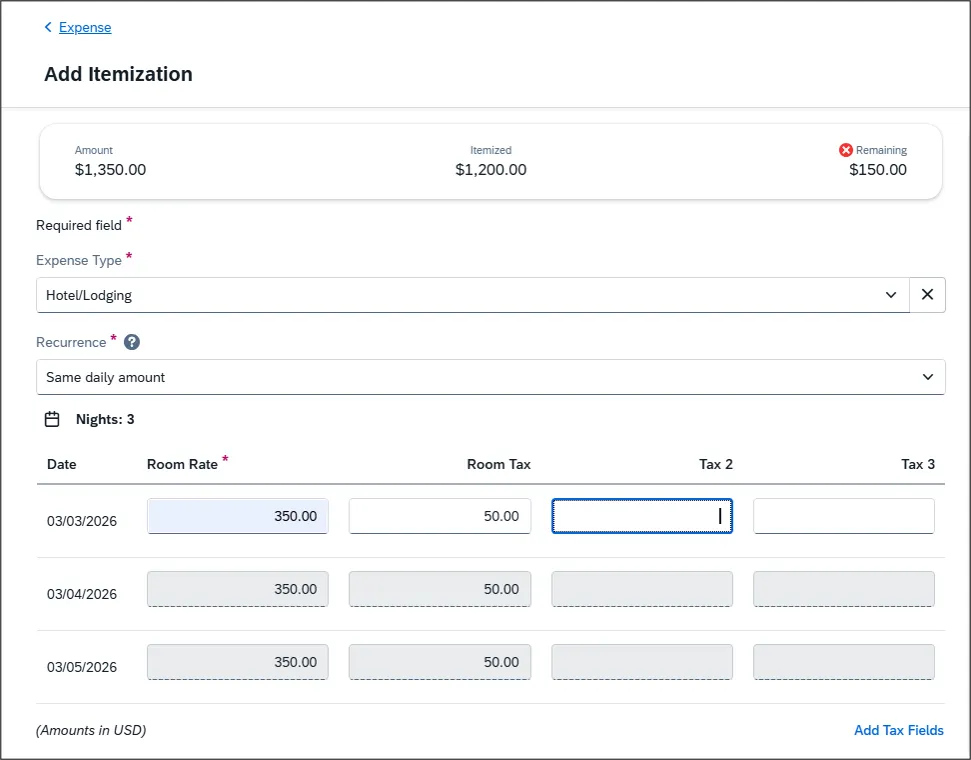
In this example, the domestic hotel stay is 3 nights, the Room Rate is $400 per night ($50 over policy threshold) and the Room Tax is $50 per night
1. Itemize for Same daily amount and enter the maximum allowed amount of $350 for the Room Rate and $50 for Room Tax..
2. Click Save Itemization. Notice the expense is not yet fully itemized..
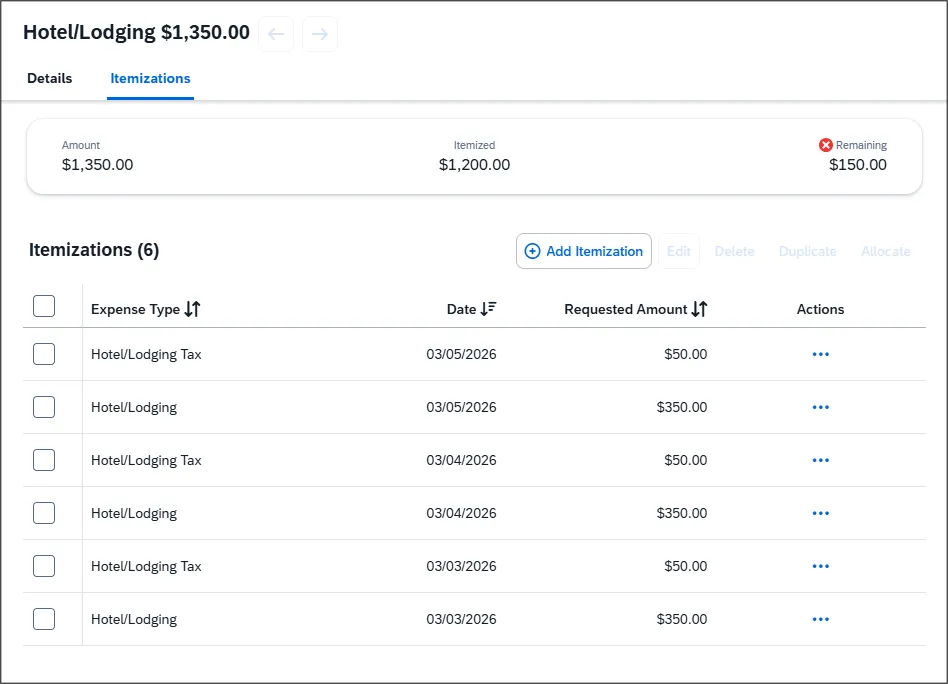
- Click Add Itemization and select Hotel - Segregated asthe Expense Type.
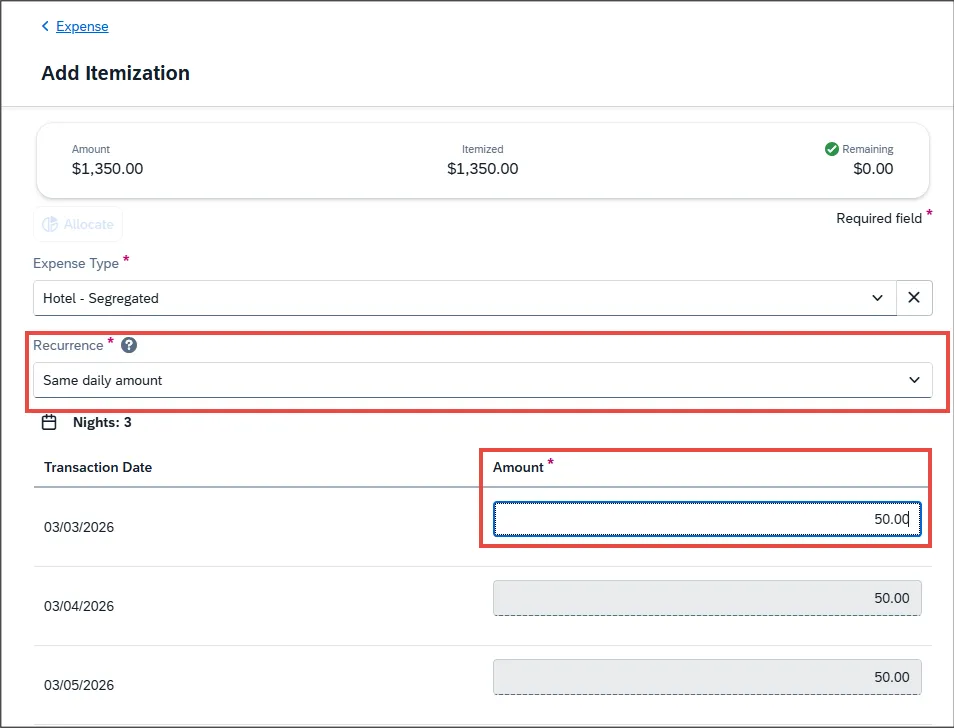
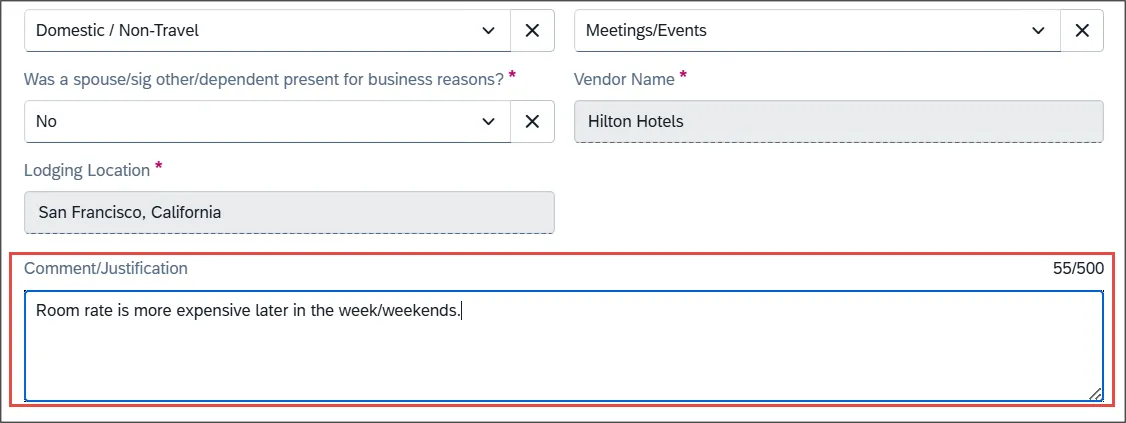
- Select the Same daily amount option in the Recurrence dropdown and enter the Amount of $50 for this example, which is the amount above policy for each night. In the Comment/Justification section explain why the amount is above policy.
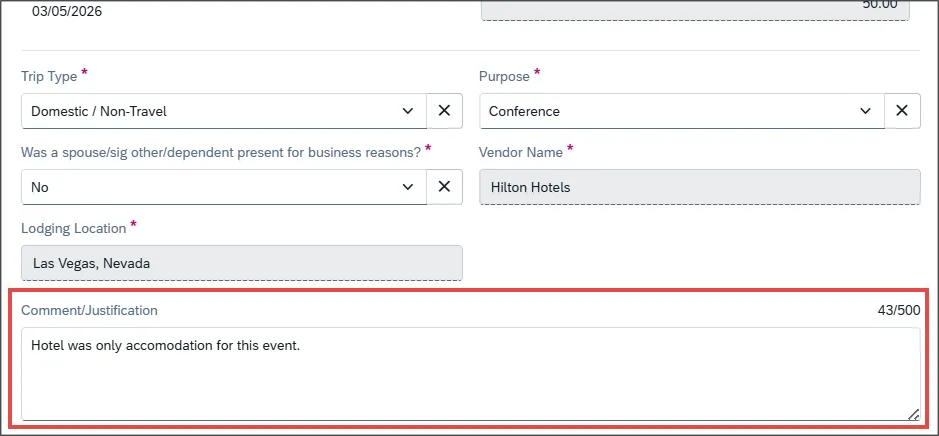
- Click the Save Itemization button. The Expense is now fully itemized for this example.
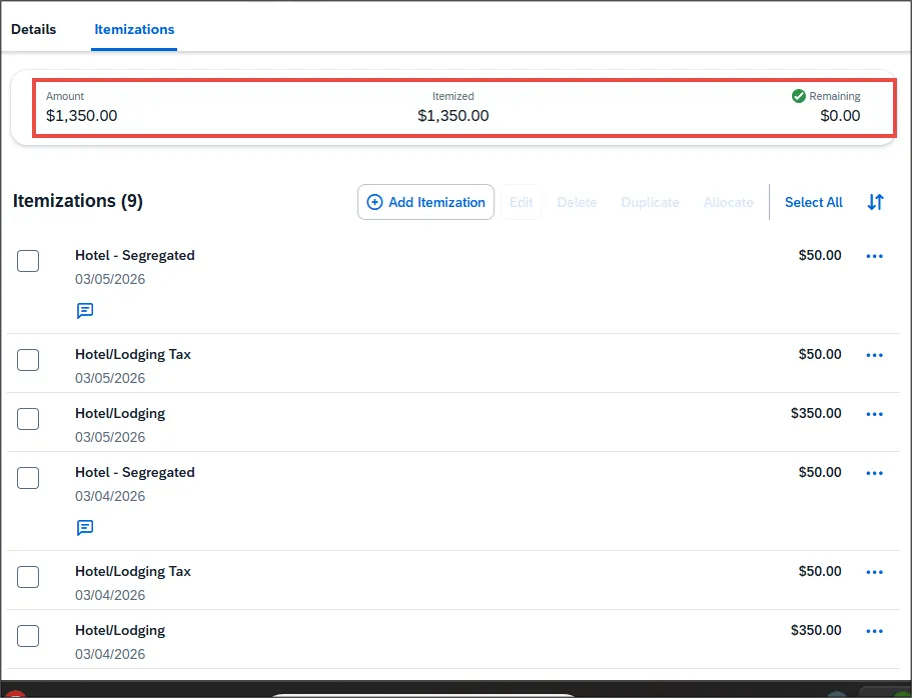
Note: If you have a remaining amount on your bill for items such as meals or parking, click Add Itemization to continue itemizing your hotel bill.
Segregating a Room Rate (Different Daily Rate) above Policy Threshold
In this example, the Room Rate for the third night is different from the other nights. The third night is priced at $400, which is above the University’s domestic policy threshold. You must appropriately segregate the extra cost and provide justification.
- Itemize as Different daily amount and enter the room rate and tax for each individual night of your stay. In this example, the third night is above the domestic policy threshold, enter the maximum allowable amount of $350 for the third night.
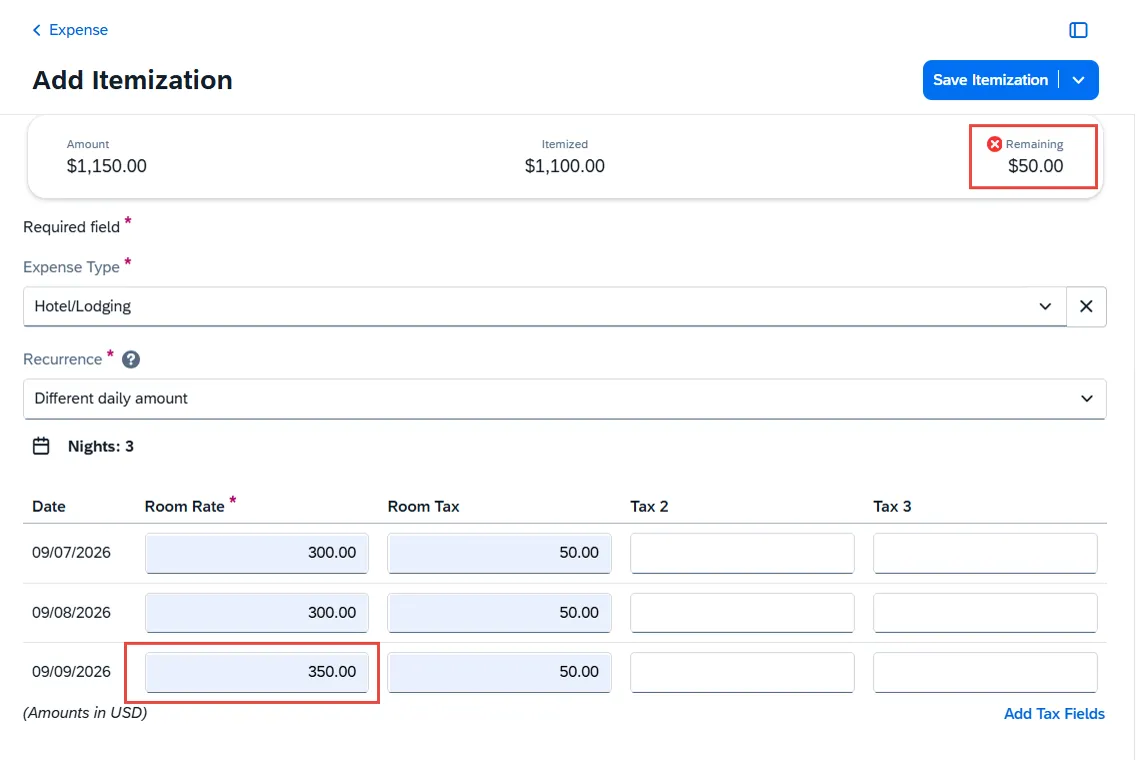
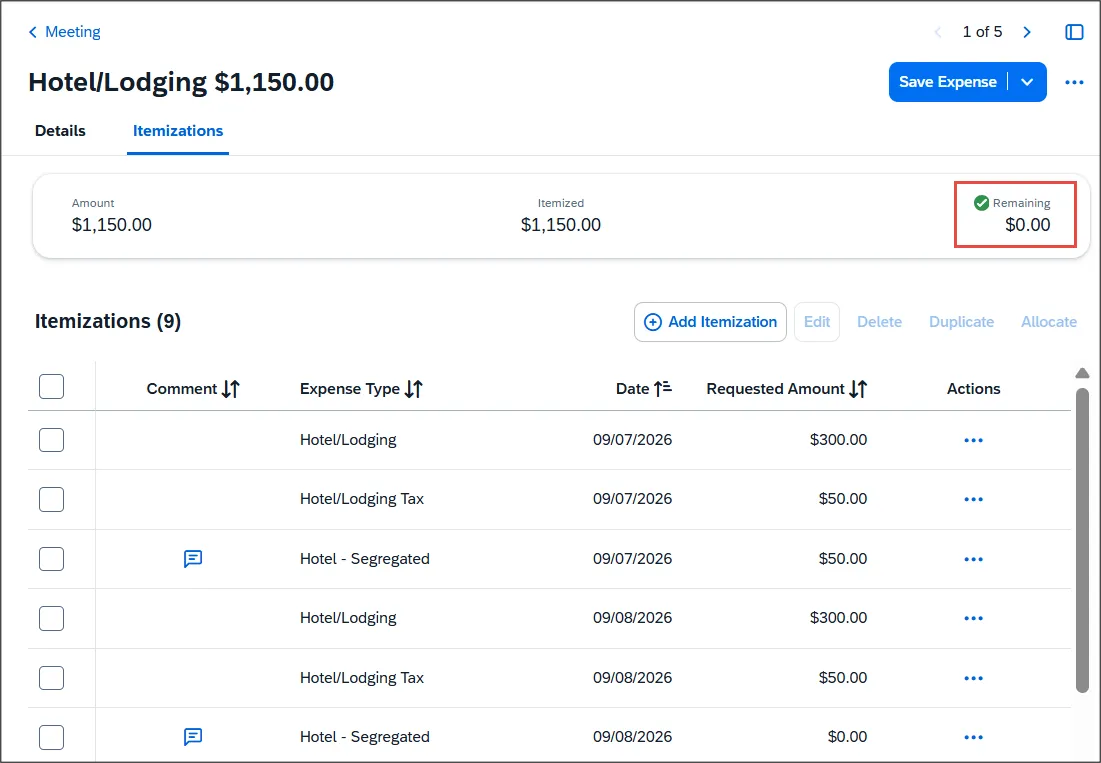
Notice the amount Remaining is $50.
- Click Save Itemization. Notice the Expense is not fully itemized
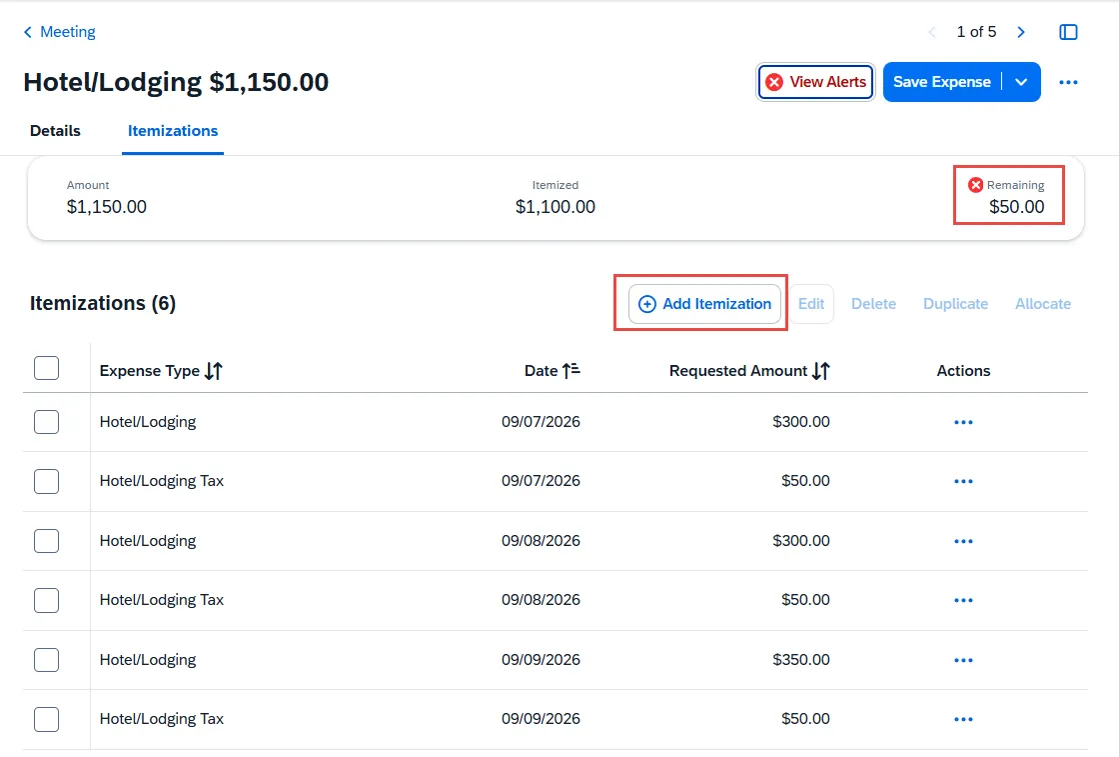
- Click Add Itemization.
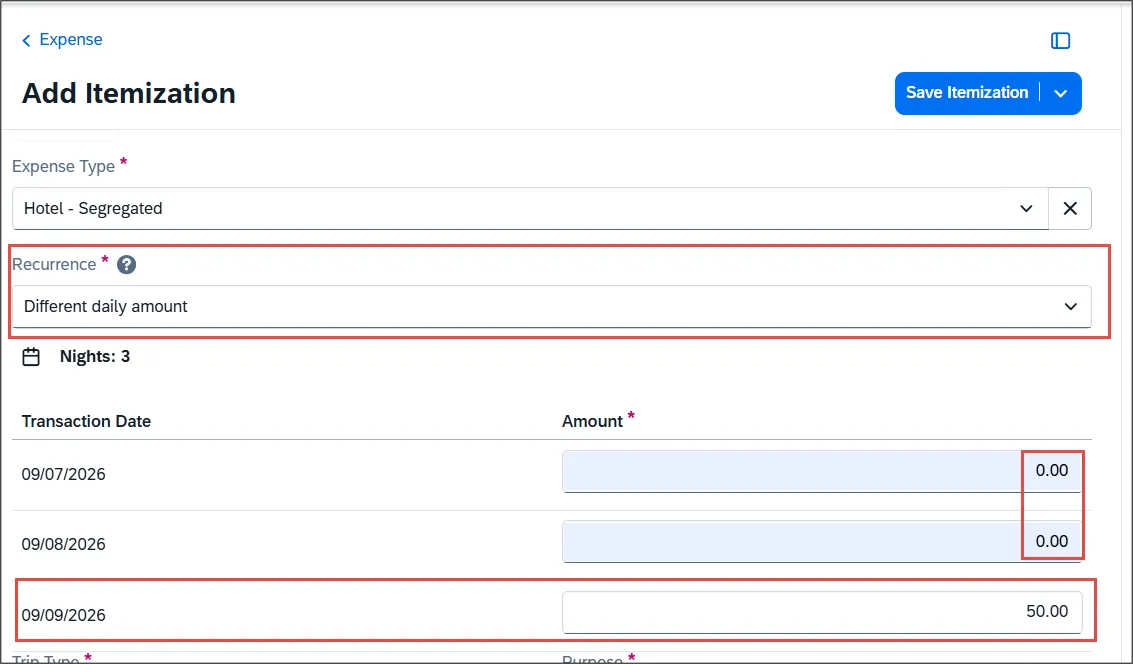
- Select Hotel - Segregated for the Expense Type.
- Select the Different daily amount option in the Recurrence dropdown
- Enter the Amount of $50 for night 3 for this example (the night and the amount we are above policy) and enter $0 for the other nights not over policy..
In the Comment/Justification section explain why the amount is above policy.
- Click Save Itemization. The Expense is now fully Itemized for this example.
Note: If you have a remaining amount on your bill for items such as meals or parking, click Add Itemization to continue itemizing your hotel bill.